example
Example repo for hosting HTML and PDF files on GitHub
GitHub is great for many things. But not everyone knows that it is an excellent hosting platform too. It’s where a lot of people (including myself) host their websites, presentation files, etc.
The problem is that GitHub doesn’t render file types like HTML automatically. Similarly, while it has pretty good built-in PDF rendering capabilities, you can’t easily do things like print or resize (as you might for PDFs rendered in your browser).
Luckily, there are two easily solutions. This repo aims to show off both.
Motivation
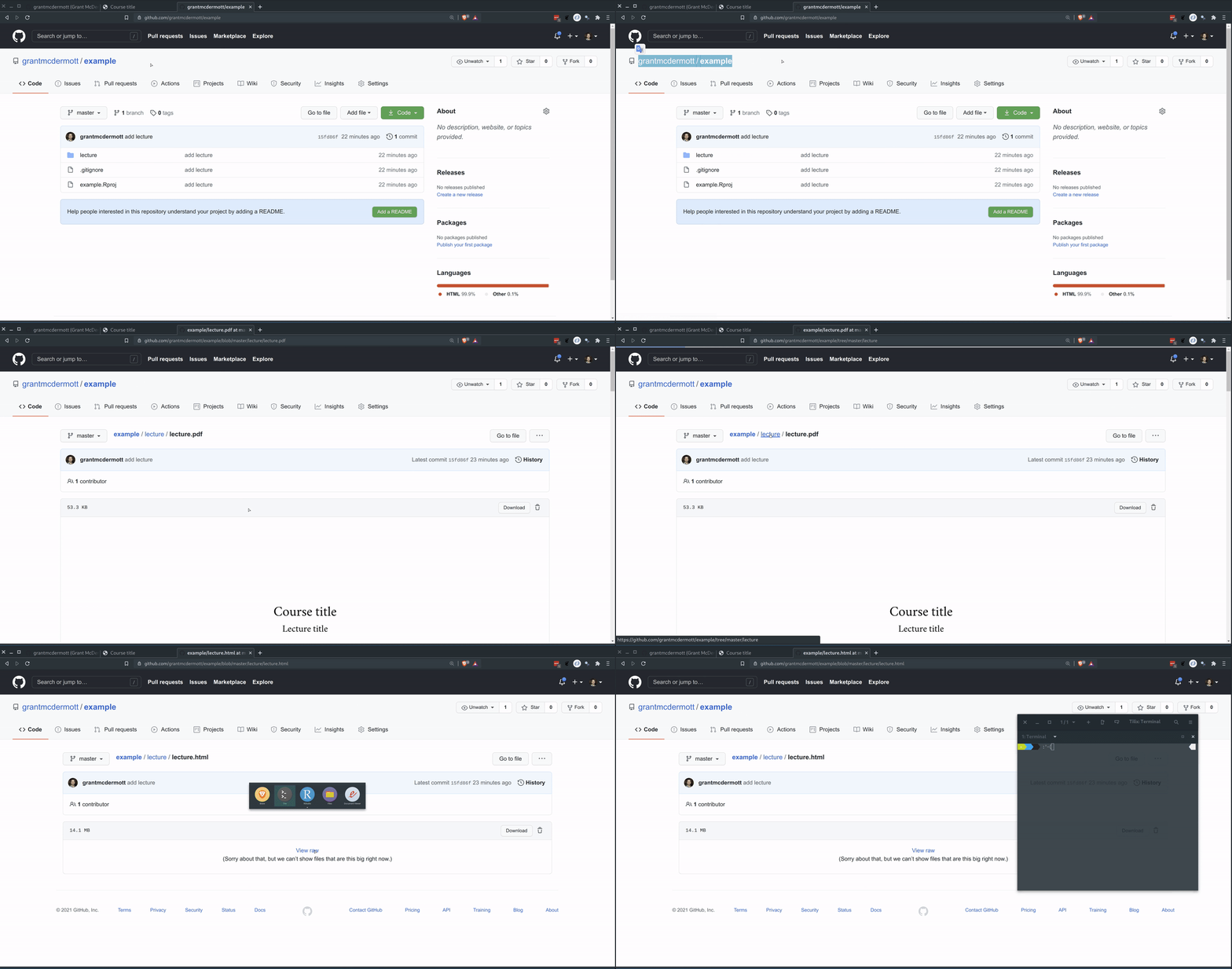
I’ll use the lecture/lecture.html file contained in this repo to demonstrate. If you click through
the repo directory structure above, it takes you to
this location and you
are told that the you can’t view big raw files. Cue: sad face.
Let’s fix that!
Option 1: raw.githack.com
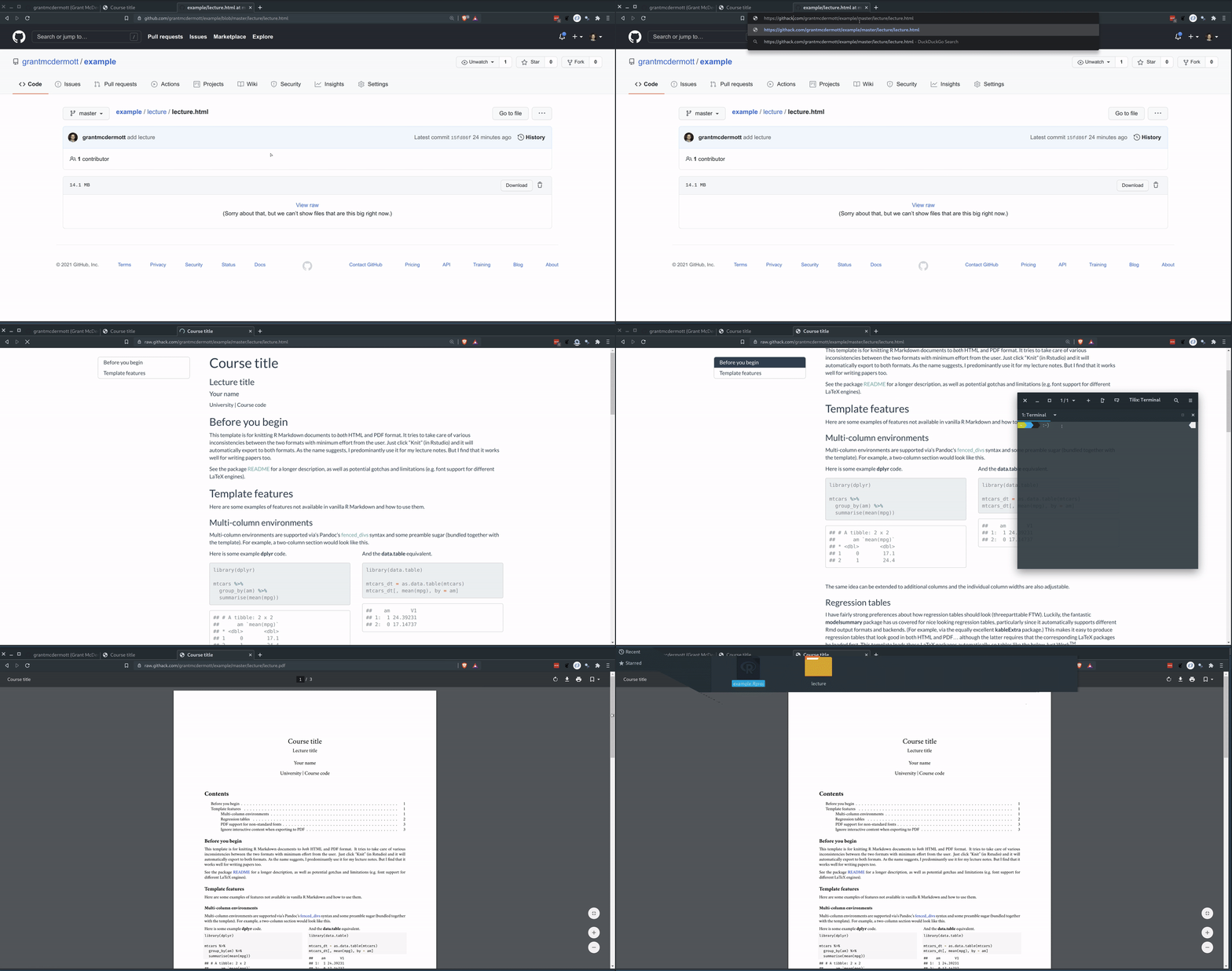
The quick and dirty way to get around this problem is to lean on https://raw.githack.com. Basically, just make the following tiny changes to your file URL:
- Change the “github” part to “raw.githack”.
- Delete the “/blob” part.
So
https://github.com/grantmcdermott/example/blob/master/lecture/lecture.html
becomes
https://raw.githack.com/grantmcdermott/example/master/lecture/lecture.html
Click on the second link yourself to see how much we are winning. You can similarly do so for the PDF version and see that it renders in-browser with options to print, resize, etc.
Here’s a GIF walkthrough of me completing these steps.
Option 2: Switch to gh-pages branch
The more established, GitHub “native” approach is to make use of GitHub Pages. Brief steps as follows:
- Click the branches dropdown menu just above the files at the top left of the page (will usually say
“master” or “main” by default.
- Create a new branch called gh-pages (exactly as I’ve written here). You should switch over to this branch automatically.
- Next click on on the
Settingslink at the top right of the page.- Click the
Branchessub-menu on the left. - Then switch the default branch from “master” to your new “gh-pages” branch. (Click the “I understand…” button when prompted).
- Click the
- Your repo should now be published at your default GitHub Pages site. To see what this is, click on
the
Optionssub-menu on the left (we’re still in theSettingsmenu at this point). If you scroll all the way down to theGitHub Pagessection, it will tell you where that is.
For most people, the default publish location will be USERNAME.github.io/REPONAME. In my case, I
have a custom domain that redirects things to grantmcdermott.com/example. So that means I can
view the files at:
http://grantmcdermott.com/example/lecture/lecture.html
and
http://grantmcdermott.com/example/lecture/lecture.pdf
Again, here’s a GIF walkthrough of me completing these steps.